Top CRM Tools for Small Businesses with AI Features (2026 Guide)
Effective customer relationship management (CRM) tools are essential for small businesses looking to manage leads, automate sales processes, and streamline customer interactions. Today’s CRMs go beyond basic contact tracking — many now include AI-powered features that help you prioritize leads, automate workflows, forecast outcomes, and improve personalization. These capabilities make AI-enabled CRMs indispensable for small teams focused on efficient growth, especially for lead generation for small businesses and crm for small service businesses. (GoHighLevel)
What Is an AI-Powered CRM and Why It Matters
An AI-powered CRM adds smart automation and intelligence to standard CRM functions. This includes features like:
Automated lead scoring and prioritization
Predictive forecasting and insights
Smart workflow automation
AI-assisted content generation and email suggestions
Enhanced customer segmentation based on behaviour
These capabilities help small business teams save time, increase efficiency, and grow revenue without unnecessary manual effort.
1. GoHighLevel CRM — Best All-in-One CRM for Small Businesses
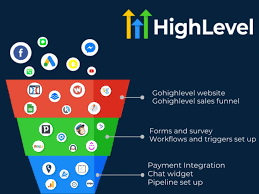
Often considered a market leader for small business CRM needs, GoHighLevel offers an all-in-one solution that combines sales, marketing, automation, SMS, email campaigns, calendars, forms, and reputation management — all within a centralized dashboard. This makes it ideal for service-based businesses and teams that want to manage their entire customer journey from a single platform.
Key Features
✔ Unified CRM + marketing automation
✔ Pipeline management and detailed analytics
✔ AI-optimized workflows and follow-up automation
✔ Landing pages, calendars, and lead capture tools
Advantages
Eliminates the need for multiple tools
Comprehensive automation for follow-ups, campaigns, and nurturing
Ideal for small businesses and marketing teams
Disadvantages
Can be complex to set up initially
Feature richness may overwhelm very small teams
Pricing
Offers a free trial, then subscription plans that start monthly with tiered feature access based on usage and team size.
2. HubSpot CRM — Best Free & Scalable CRM for Small Businesses
HubSpot CRM is one of the most popular CRM tools available thanks to its user-friendly interface, robust free plan, and scalable features. Designed for teams that want a polished CRM with the option to upgrade into powerful marketing and sales hubs, HubSpot also includes AI features that help with customer insights, predictive scoring, and automation. (HubSpot)
Key Features
✔ Free CRM with unlimited users
✔ Contact and deal tracking
✔ AI tools like live chat bots, content suggestions, and lead insights
✔ Deep integrations with marketing and sales tools
Advantages
Free “forever” plan ideal for startups
Easy setup and onboarding
Strong automation and ecosystem support
Disadvantages
Advanced AI features require paid plans
Premium tiers can be costly for larger teams
Pricing
Free plan available; premium plans start higher depending on features and users.
3. Zoho CRM — Flexible CRM with AI (Zia) and Automation
Zoho CRM balances advanced capabilities with affordability and flexibility. It offers an AI assistant called Zia, which helps with sales predictions, workflow suggestions, and smart insights — making it a powerful choice for growing small teams. (Innowise)
Key Features
✔ Pipeline and contact management
✔ Zia AI assistant for insights and alerts
✔ Workflow automation and support tools
✔ Integration with Zoho suite
Advantages
Scales well as your business grows
AI tools help analyze sales trends
Free and low-cost plans available
Disadvantages
AI features reserved for mid-to-high tiers
Learning curve for customization
Pricing
Plans start at affordable per-user pricing with increasing features as tiers climb.
4. Capsule CRM — Lightweight CRM for Small Teams
Capsule CRM is designed for simplicity and ease of use, making it a strong choice for small businesses that want a contact-first CRM without heavy complexity. It’s highly suitable for freelancers, solo founders, and small service businesses. (Talkroute Virtual Phone System)
Key Features
✔ Contact and opportunity tracking
✔ Simple pipelines and activity logging
✔ Integrations with tools like Mailchimp and QuickBooks
Advantages
Intuitive and straightforward
Affordable pricing
Great for small teams
Disadvantages
Lacks advanced automation or deep AI tools
Limited reporting
Pricing
Capsule offers tiered per-user pricing with free and paid levels based on feature needs.
5. Pipedrive — Best CRM for Sales Pipeline Management
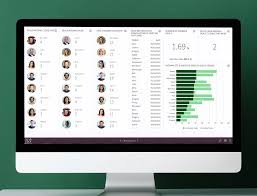
Pipedrive focuses on helping sales teams visualize and manage pipelines with a highly intuitive interface. While its primary strength is pipeline and deal organization, it also includes AI-enhanced features like email drafting and predictive sales insights. (TechRadar)
Key Features
✔ Drag-and-drop pipeline view
✔ Email integration and tracking
✔ AI suggestions for sales agents
✔ Integrations with many third-party tools
Advantages
Easy to use and visually intuitive
Strong focus on sales workflows
Good entry pricing
Disadvantages
Less built-in marketing automation
Lacks native all-in-one features
Pricing
Subscription tiers range based on features, from basic pipeline management to advanced AI and automation.
🔍 Comparison Box: Top CRM Tools for Small Businesses
| CRM | Best For | AI Features | Free/Starter Plan | Pricing Range |
|---|---|---|---|---|
| GoHighLevel | All-in-one automation | Workflow AI, analytics | Trial | Mid-tier SaaS |
| HubSpot CRM | Scalable & free | AI insights & assistants | Yes | Free → Premium |
| Zoho CRM | Flexible & growth | Zia AI insights | Free tier | Affordable tiers |
| Capsule CRM | Simplicity & ease | Basic automation | Limited free | Competitive |
| Pipedrive | Sales pipeline focus | AI email & forecasting | Trial | Tiered plans |
How to Choose the Right CRM for Your Business
To select the best CRM:
Assess your needs: Do you need sales focus, marketing automation, or all-in-one?
Budget: Free and low-cost options are available; pay for advanced AI only if needed.
Scalability: Pick a platform that grows with your business.
Integrations: Ensure it connects with email, analytics, and marketing tools like those used in your Calgary digital marketing efforts.
Conclusion
CRM platforms have evolved into intelligent systems that do much more than store contact lists. With AI features, these tools can automate workflows, improve lead prioritization, support ai lead generation, reduce manual tasks, and deliver actionable insights — saving time and growing revenue for small businesses.
From the feature-rich GoHighLevel to the user-friendly HubSpot CRM and flexible Zoho CRM, there’s a CRM solution for every business size and need. Consider your goals, budget, and technical appetite when choosing the right CRM tool to fuel your growth.
Frequently Asked Questions
1. What makes a CRM tool with AI features different from a traditional CRM?
AI-enabled CRMs go beyond basic contact and deal tracking by using machine learning to automate tasks like lead scoring, data entry, forecasting, and workflow suggestions. These tools help teams spend less time on routine work and more time on strategic actions, boosting efficiency and conversion rates.
2. Which AI CRM tools are best suited for small businesses?
Some of the top CRM tools with AI capabilities for small businesses include GoHighLevel (all-in-one automation), HubSpot CRM (user-friendly with AI assistance), Zoho CRM (Zia AI insights), and Pipedrive (AI-enhanced sales pipeline and email drafting). These options are flexible and scale with your business needs.
3. How can a CRM help with lead generation for small businesses?
AI CRMs automatically score and prioritize leads based on engagement patterns, helping you focus your efforts on prospects more likely to convert. Combined with solutions from WeSolve, such as optimized local campaigns and local SEO Calgary, this improves both lead quality and conversion results.
4. Is it expensive to use an AI-powered CRM?
Costs vary widely. Platforms like HubSpot offer free CRM tiers, while others like GoHighLevel have subscription plans starting around entry-level monthly rates. Many CRMs also include tiered pricing, so you can upgrade AI features as your business grows.
5. Can AI CRMs automate sales tasks and improve productivity?
Yes — AI CRMs can automate repetitive tasks like data entry, reminders, workflow triggers, and even follow-up emails. This frees your team to focus more on closing deals and strategic activities, which complements automation strategies you may already use through services like sales automation for small businesses.
6. Should a local service business use a CRM with AI features?
Absolutely. AI CRMs help local businesses streamline customer interactions, automate follow-ups, and gain insights into customer behavior. When combined with SEO services and tailored campaigns from b2b ad agencies or digital agencies Calgary, this ensures more efficient customer acquisition and retention.
7. Which CRM offers the best balance of automation and ease of use?
Platforms like HubSpot are known for ease of setup and a strong free tier, while Zoho CRM offers deeper customization and AI analytics. GoHighLevel combines CRM, automation, messaging, and sales automation for small businesses in one platform — making it ideal for full-service workflow needs.
References
Top CRM tools for small business with AI and features overview. (GoHighLevel)
Small business CRM roles and features. (HubSpot)
Zoho CRM features and pricing. (TechRadar)
Key CRM options and comparisons. (SuperbCrew)
Capsule CRM review summary. (TechRadar)